从 ChatGPT 网页效果图中提取独立素材
从 ChatGPT 或 GPT Image 生成的网页图片中取出 Logo、主插画与功能图标。按照下面的流程完成选择、修边和导出,让设计稿中的素材进入实际项目。
IconSplit · 更新于 2026 年 10 月 17 日
1. 下载完整的网页原图
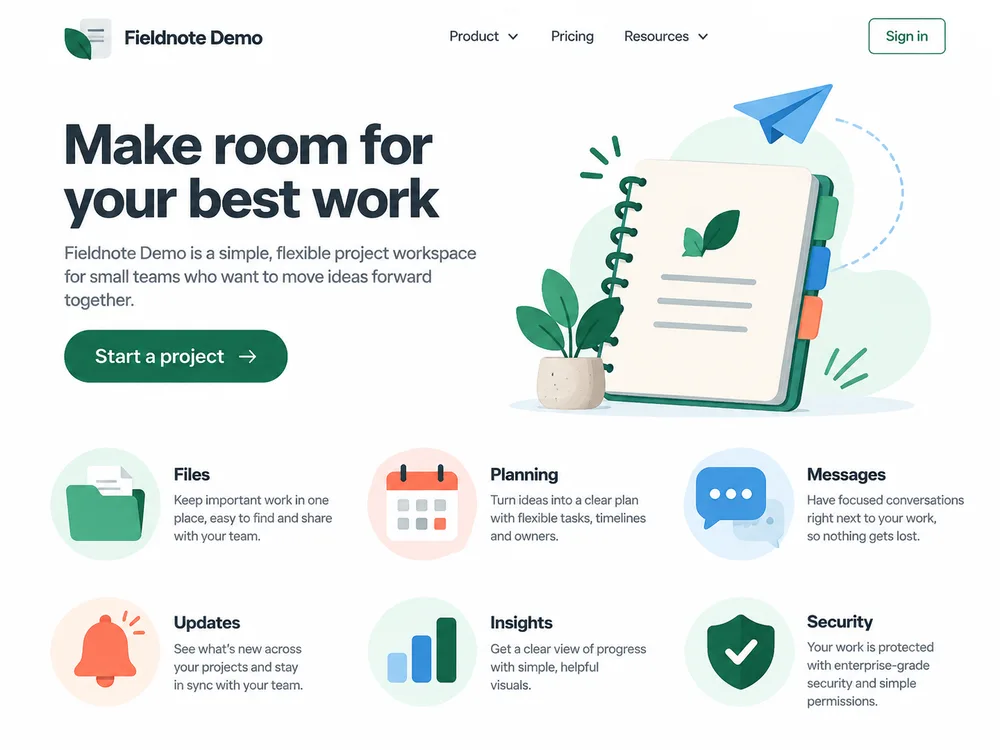
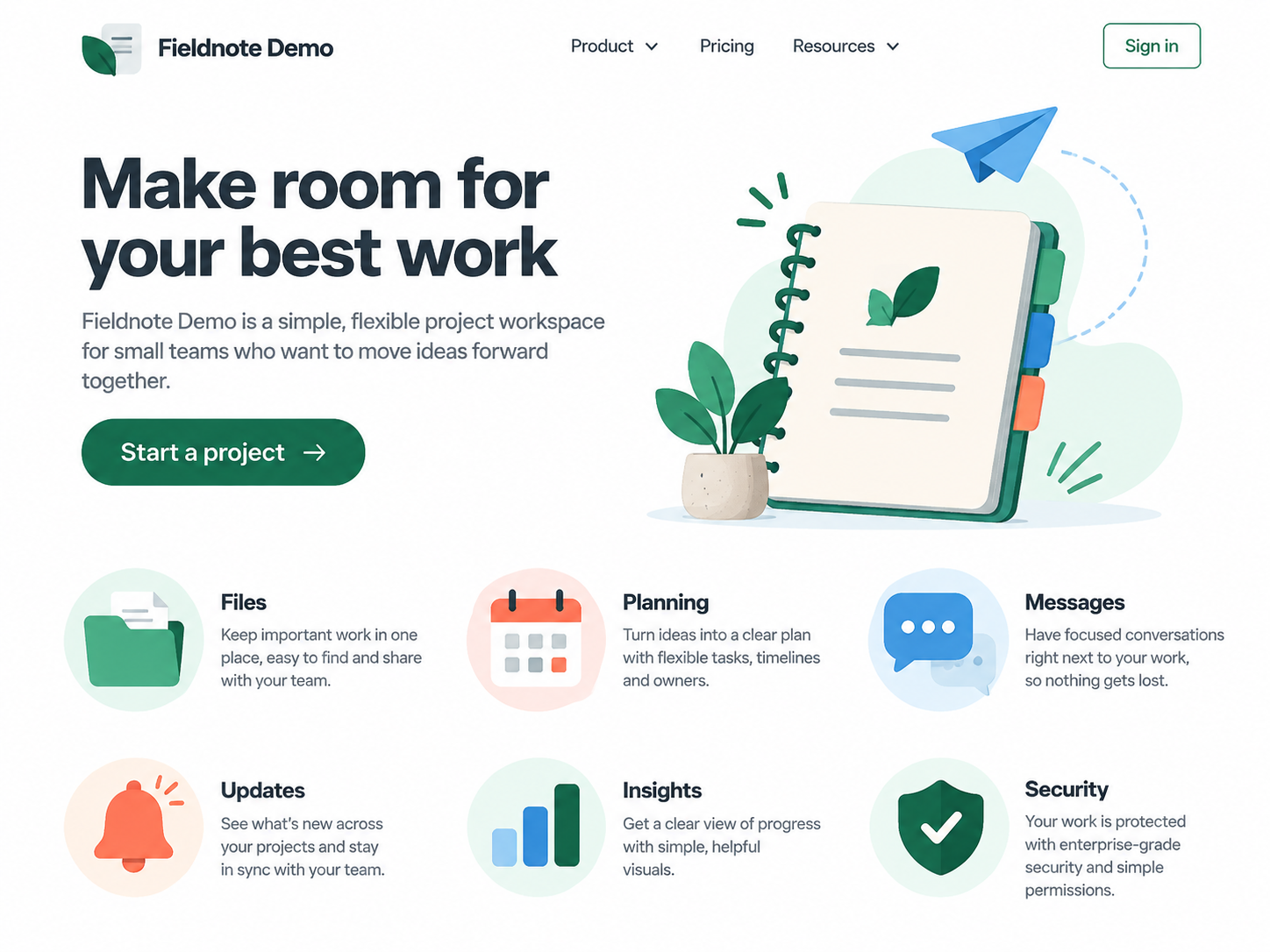
在 ChatGPT 中生成并下载网页效果图。选择背景清晰、目标素材与文字有一定间距的版本,后续提取会更方便。下面提供本教程的原图和生成提示词,方便跟随操作。
查看案例生成提示词
Create one polished desktop SaaS landing-page mockup as a single raster image, not HTML or code. Use a 4:3 landscape canvas, approximately 1600 by 1200 pixels. The fictional product is "Fieldnote Demo", a small-team project workspace. Include a complete top navigation with a new original abstract leaf-and-note logo, product name, Product, Pricing, Resources, and a Sign in button. Use the headline "Make room for your best work" with a short supporting sentence and a "Start a project" button. Put a standalone editorial illustration to the right of the hero: a notebook, paper plane, and small plant, with generous surrounding space. Below the hero, show six features in a two-row, three-column grid with their own original colored pictograms and brief text labels: Files (folder), Planning (calendar), Messages (chat bubble), Updates (bell), Insights (bar chart), and Security (shield). This must look like a cohesive real website design, not an icon sheet. Use a white content background with restrained emerald, blue, coral and charcoal accents; readable text; generous spacing; clear non-overlapping artwork. Keep the logo, six pictograms and hero illustration visibly distinct from surrounding text. Subtle shading is welcome, but avoid shared shadows between separate assets. No browser window frame, existing brand marks, stock photos, watermarks, or external logos. Generate the image itself.
2. 使用原始图片,保留清晰细节
使用下载的 1448 × 1086px PNG 原图,避免二次截图或聊天软件压缩。先确认要提取的范围:完整徽章、单个图形或整张插画。本例保留图标背后的浅色圆底和主插画中的细节。
3. 识别素材,调整需要的选区
上传后先预览自动检测结果。本例原图检出 16 个区域,其中也包含文字或界面控件。随后使用手动框选,保留 Logo、主插画和六个功能图标,共 8 个素材。
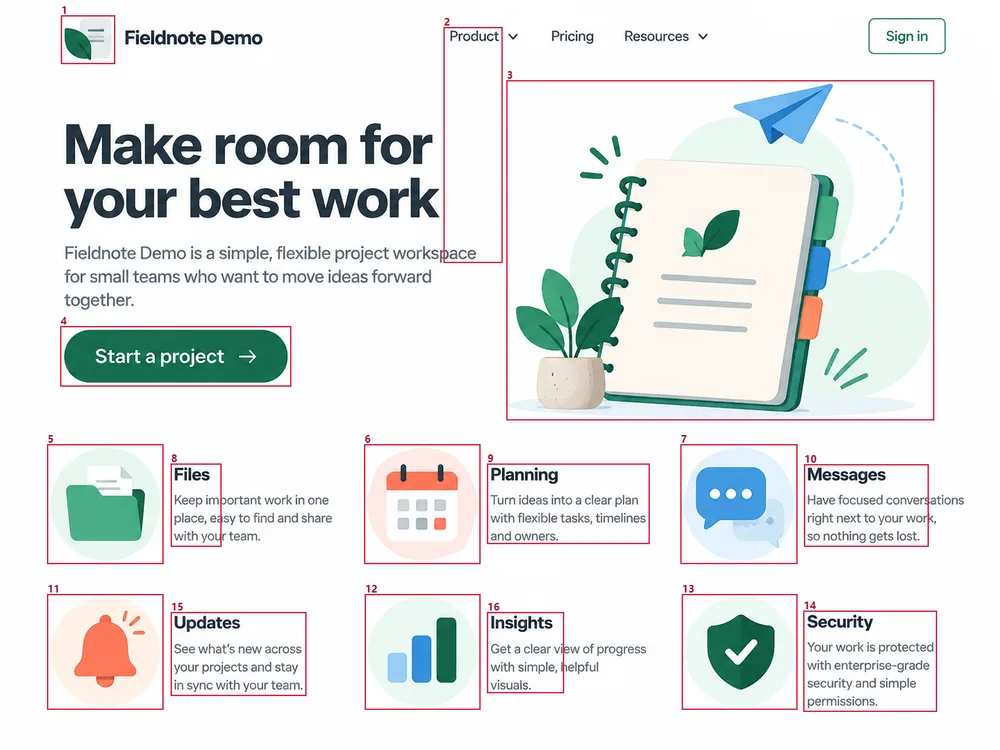
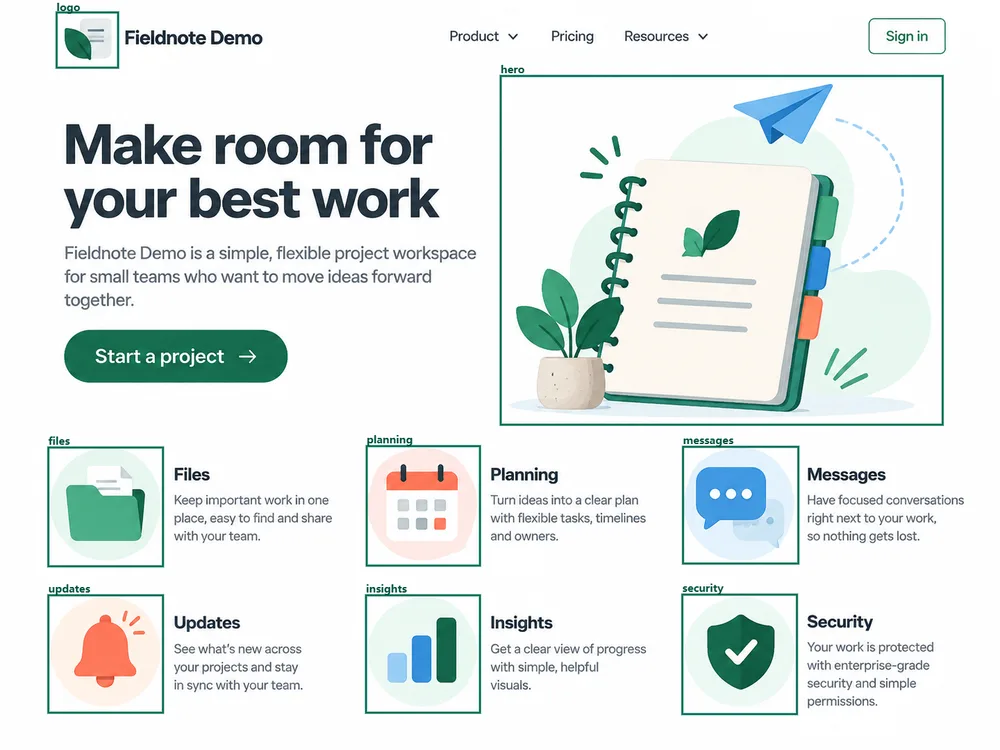
框选时包含日历挂环、铃舌或纸飞机等分离细节,同时避开相邻标签。按 logo、hero、files 等用途命名,便于在项目中查找。
4. 用 Repair 优化背景与边缘
本例文件夹使用 Light 清理,边缘收缩设为 0px,关闭内部背景清理和平滑。在深色背景上比较结果,再根据素材细线、阴影和白色填充调整强度。
这组素材保留浅色圆底。需要不同背景效果时,请先判断圆底是否属于要保留的设计,再调整清理设置。
5. 导出 PNG、WebP 或 SVG


PNG 适合透明素材与通用设计交付,WebP 适合网页图片。简单图形可导出 SVG,复杂插画则优先保留 PNG 或 WebP,以保留渐变和纹理。SVG 是重新生成的矢量路径,并非原图中的原始设计文件。


批量交付时,先统一文件名称、导出尺寸与 padding,再将所需素材打包为 ZIP。
6. 将素材用于网页或原型
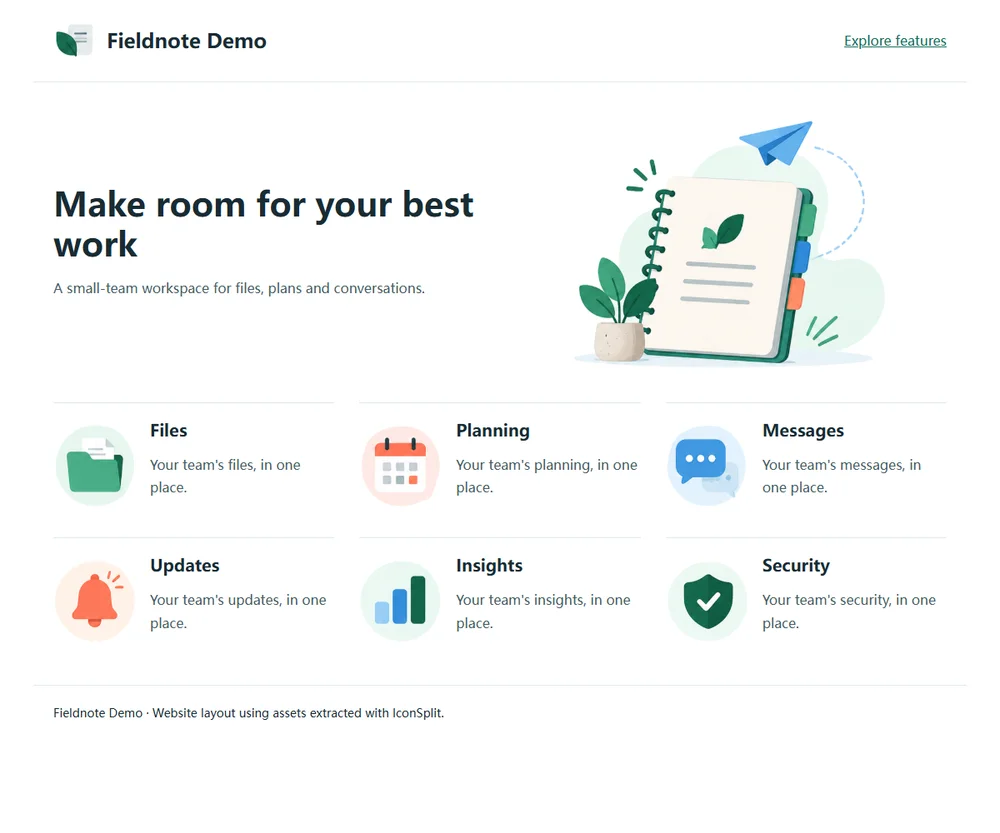
按页面中的实际显示尺寸设置宽高,搭配有意义的 alt 文本。预留布局空间,可以减少图片加载时的页面跳动。
常见问题
提取后一定是透明背景吗?
透明效果取决于原图的背景、阴影与边缘。手动框选可以指定目标范围,但不等于所有背景都能自动移除;复杂渐变与融合阴影可能需要进一步编辑。
能把网页图片恢复为代码或设计图层吗?
IconSplit 提取图片素材,不恢复 HTML/CSS、字体文件、隐藏图层或被遮挡内容。导出更大尺寸也不会增加原图没有的细节。
开始提取你的网页素材
上传网页效果图,选择需要的素材,再按项目需求导出。免费账户登录后每天可处理 3 张图片,支持最长边不超过 512px 的 PNG;单图与 ZIP 可用额度以账户显示为准。
需要 WebP、SVG、更大原尺寸或多尺寸导出?查看套餐,选择适合本次项目或长期使用的方案。