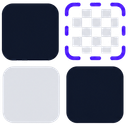

ORIGINAL
Keep the repaired raster
No additional smoothing or vector reconstruction. Best when the reviewed source appearance is already correct.
After IconSplit detects and repairs icons from an icon sheet, AI-generated asset board, or design screenshot, Vector smoothing keeps PNG or WebP colors and rebuilds only the boundary. SVG reconstructs the complete icon as scalable paths.


These are four different decisions, not four strength levels of the same filter.
No additional smoothing or vector reconstruction. Best when the reviewed source appearance is already correct.
Softens minor pixel stair-steps while keeping the raster result and its original color behavior.
Uses fitted vector geometry for the transparent boundary while retaining raster gradients, textures, and fills.
Converts geometry and color regions into editable filled paths that remain sharp at arbitrary sizes.
The previews illustrate how each mode is rendered. Exact smoothing depends on the source edge, Repair settings, transparency, and target output size.
Drag the handle across the same extracted icon. The left side is a fixed-size PNG; the right side is rendered from actual SVG paths.
Actual PNG and SVG pairs exported from IconSplit.
| Mode | Color source | Boundary | Output | Best use |
|---|---|---|---|---|
| Original | Repaired raster | Original | PNG / WebP | Exact reviewed appearance |
| Standard | Repaired raster | Raster anti-aliasing | PNG / WebP | Minor jagged edges |
| Vector smoothing | Repaired raster | Fitted vector contour | PNG / WebP | Smoother raster delivery |
| SVG | Reconstructed regions | Vector paths | SVG | Scalable editable assets |